Creating a menu item
Last updated: 2015-05-05
This article describes how to add an item to a menu.
Add an item to the selected menu by clicking on + Append in the toolbar.
The following page will open:
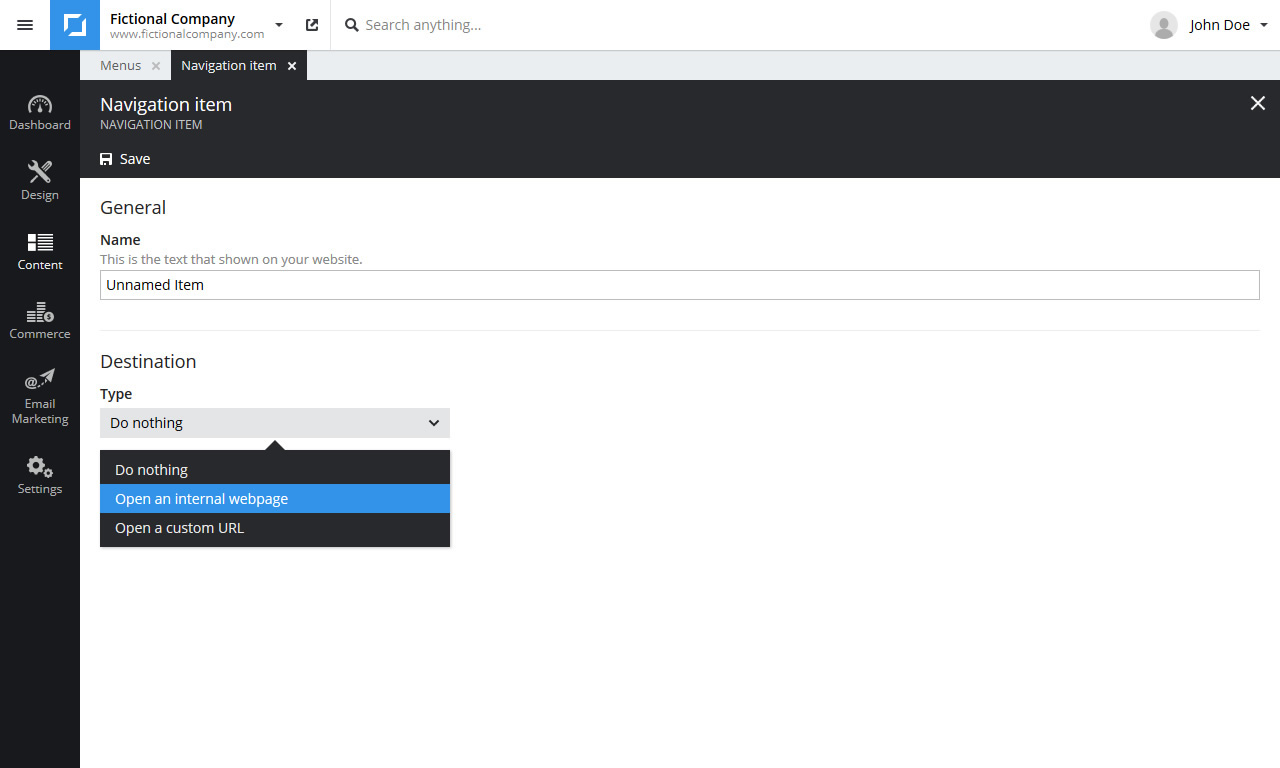
Enter a name for the new menu item.
Then choose what to open when a visitor clicks the menu item. You can either select an internal webpage or specify a custom URL.
Click Save in the toolbar to add the menu item. The item will be added at the bottom of the selected menu.
You can move items by selecting them (hold CTRL to select multiple) then right clicking and selecting Move up or Move down.
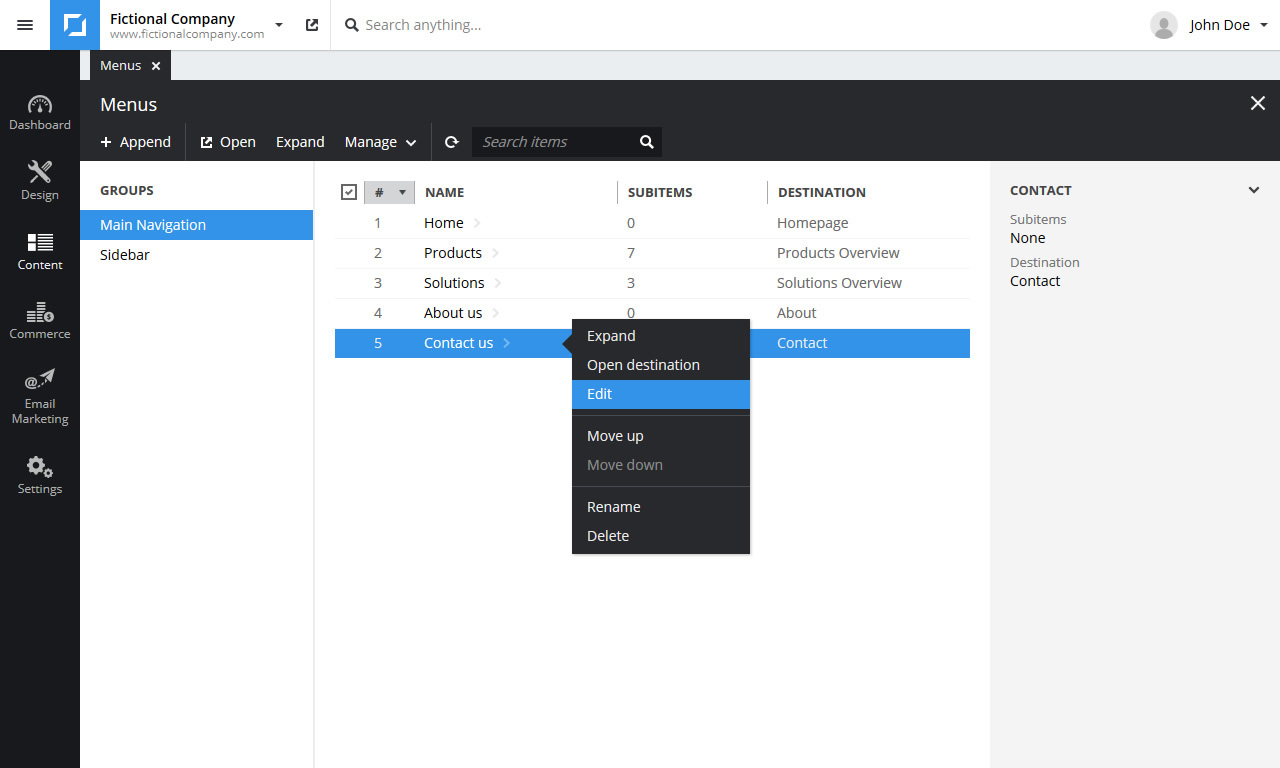
To edit a menu item click Edit in the right click menu.