Creating a webpage
Last updated: 2015-05-05
This article describes how to create a new webpage.
Open Webpages via Content > Webpages.
Start creating a new webpage by clicking + New in the toolbar.
The following page will open:
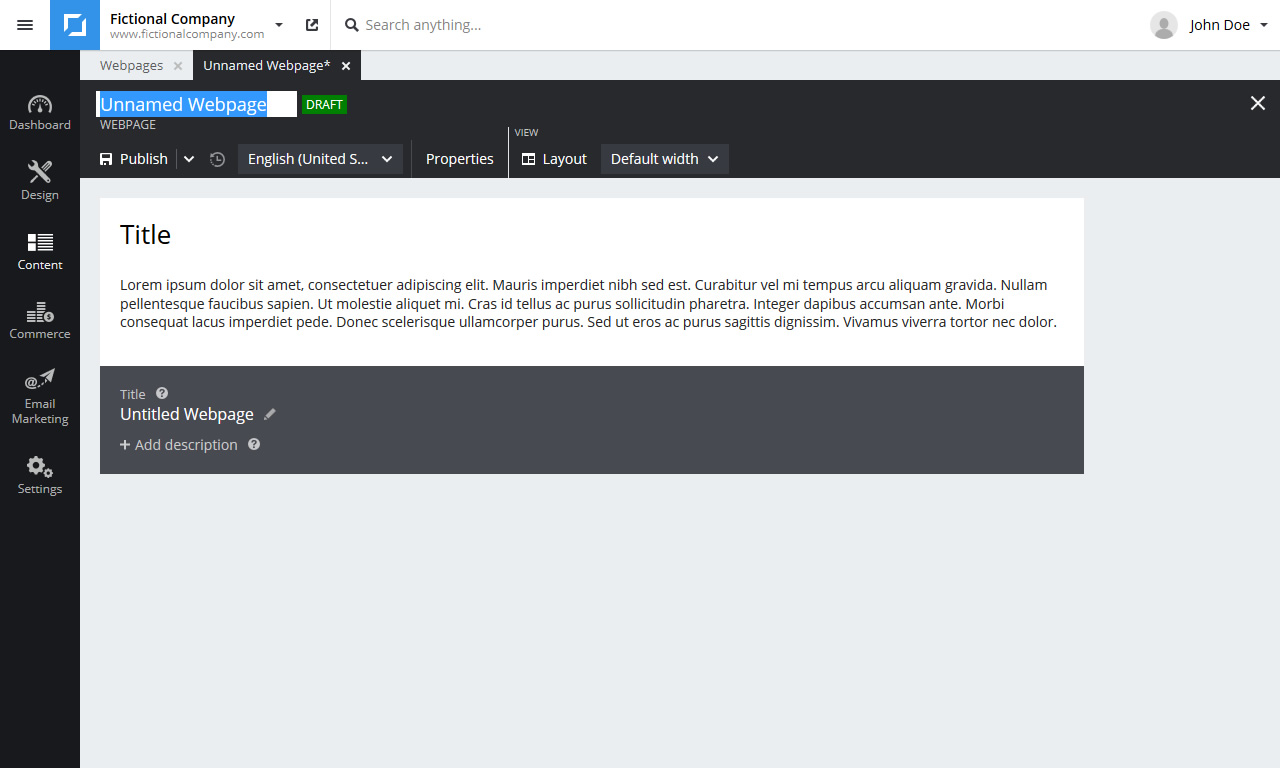
Enter a descriptive name in the top left (selected in screenshot) so you can find the webpage later.
Add a unique description (black area bottom). Search engines will use this description in their search results.
You can optionally change some webpage properties. You can set a password or change the URL and template for example.
If the webpage looks right click Publish in the toolbar.