Creating a form
Last updated: 2015-05-05
This article describes how to create a new form.
Open Forms via Content > Forms.
To create a new form click + New in the toolbar.
A new empty form will appear and you will be prompted to change the default name.
You can now add fields by clicking on a field type in the sidebar.
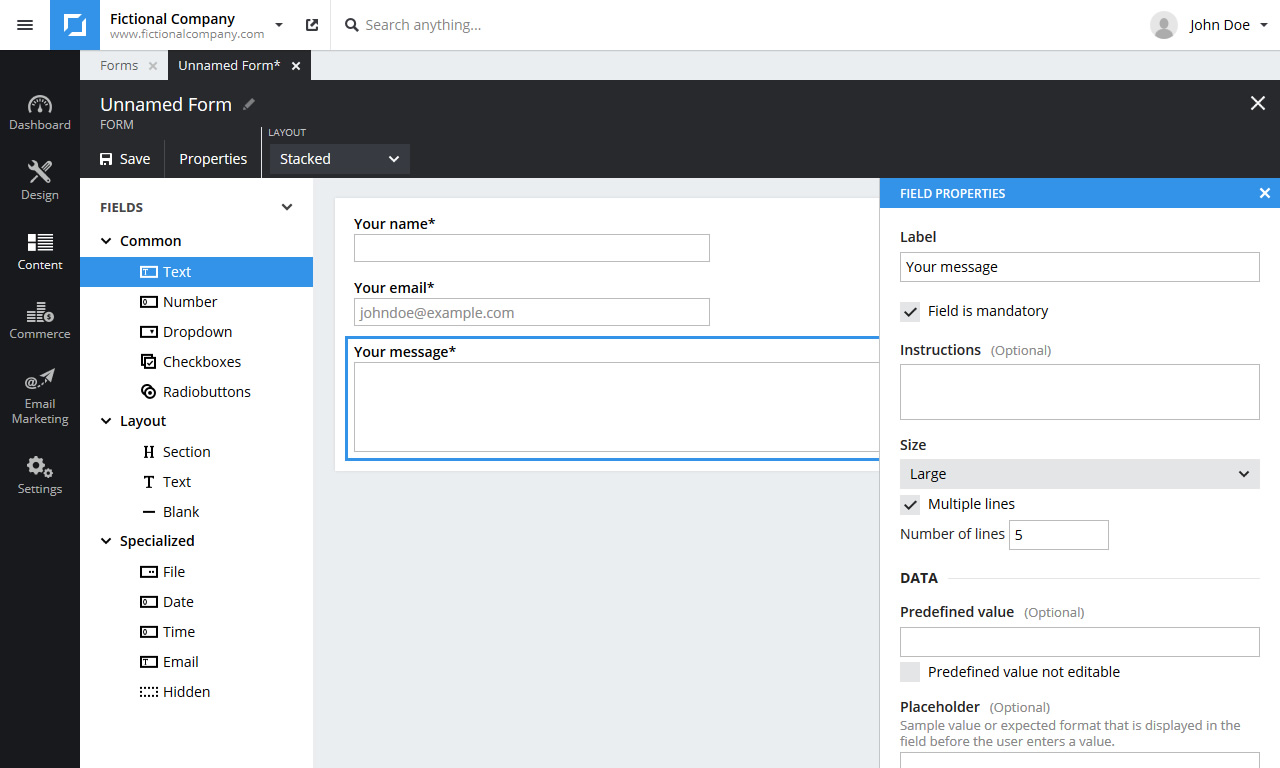
Change the field label and set the desired field options in the properties panel.
(To open the properties panel if it is not open double click the field or select Properties from the context menu.)
To reorder fields simple drag and drop fields to their desired position.
If you want to receive email notifications for every new entry, click Properties in the toolbar and fill in your email address under the Notification section.
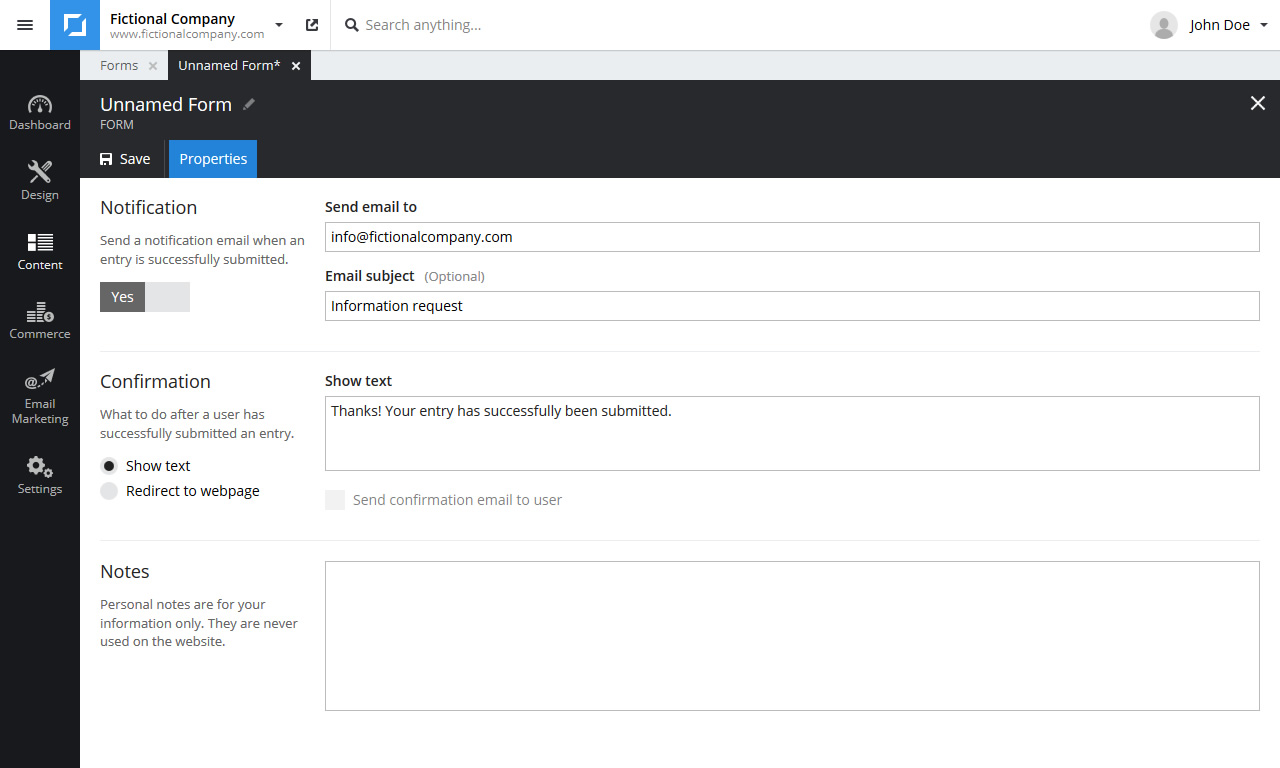
Click Save in the toolbar to save the changes.
Note: A form by itself is not publicly accessible. A form must be added to a webpage to be useable by visitors.